Introduction
Chinwag is a self-hosted platform for running WhatsApp at work. It links your WhatsApp numbers as linked devices (the same way WhatsApp Web works), stores conversations in your own database, and exposes them to your team, your software and your AI assistant.
It is built by Techtix and released as open source under the AGPL-3.0 licence.
What you get
| Area | Highlights |
|---|---|
| Accounts | Any number of personal or Business accounts, QR pairing with live refresh, isolated sessions, automatic recovery with limits, diagnostics and per-session resource usage. |
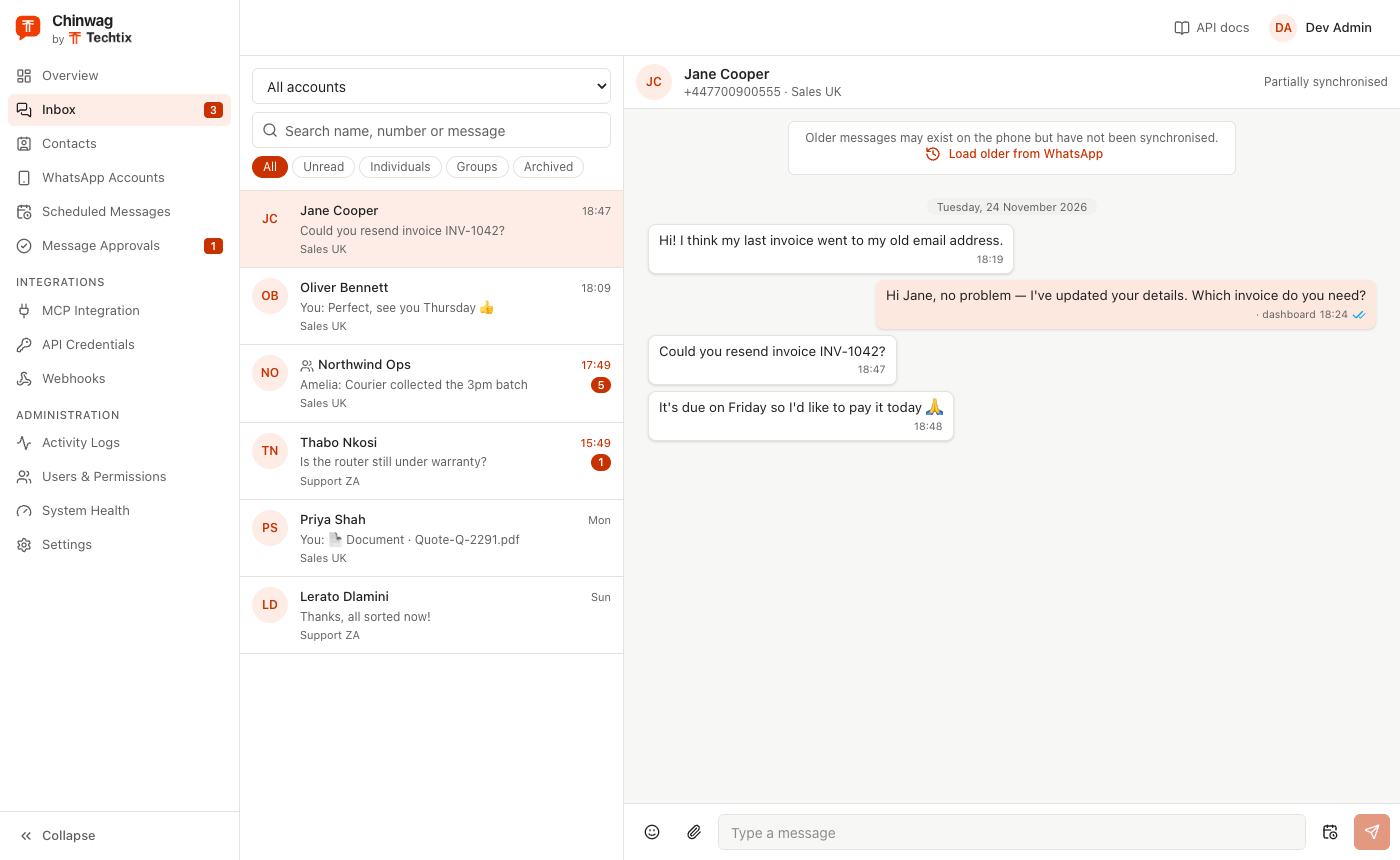
| Inbox | Real-time conversation list and chat view, filters, search across names/numbers/message text, media, replies, reactions, read receipts, drafts, emoji, attachments and scheduling. |
| Contacts | Per-account directories (never merged), tags, notes, number validation. |
| Scheduling | Database-backed, timezone-aware, survives restarts, expiry policy, never retries an uncertain send. |
| Approvals | Per-integration policies: confirm in ChatGPT, approve in the dashboard, either, read-only or direct. Approval binds to the exact message. |
| MCP server | 34 tools over Streamable HTTP with OAuth 2.1 (PKCE, dynamic registration, client metadata documents, refresh rotation, revocation). Works with ChatGPT connectors. |
| REST API | Scoped API keys, idempotency keys, rate limits, pagination, OpenAPI 3.1 and a Swagger UI. |
| Webhooks | 12 event types, HMAC-SHA256 signatures, persistent retries, delivery history. |
| Administration | Roles, per-account access levels, activity log, system health, settings, setup wizard, light/dark themes. |
How it works
 WhatsApp phones ──(linked device)──► Chromium sessions ─┐
                                                          ├─► Chinwag server ──► MariaDB / MySQL
 Team (browser) ◄──── dashboard + live updates ──────────┤        │
 ChatGPT / MCP clients ◄──── /mcp (OAuth 2.1) ───────────┤        └─► encrypted media & session storage
 Your apps ◄──── REST API · webhooks ────────────────────┘
Each WhatsApp account runs its own headless Chromium session controlled by whatsapp-web.js. Chinwag keeps one process in charge of all sessions (managed by PM2), synchronises events into the database and enforces permissions on every request.
Is it for me?
Chinwag is a good fit if you want to:
- manage several WhatsApp numbers as a team without sharing phones;
- let ChatGPT (or another MCP client) read and draft WhatsApp messages with human confirmation;
- connect WhatsApp to a CRM, helpdesk or automation through an API and webhooks;
- keep message data on infrastructure you control.
It is not a bulk-messaging or marketing tool, and it is not a replacement for the official WhatsApp Business Platform when you need guaranteed delivery at scale. See Limitations.
Next: Requirements → Installation